Tip: How to launch Postman really quickly

Launching Chrome apps used to be a tedious chore. You would have to go to the default app launcher screen which comes up in the new tab page. A few weeks back, the new tab page was replaced by a start page which gave more priority to the search bar and your recently visited pages. The “Apps” icon appears in the bookmarks bar in the top left, but still it’s a pain to start Postman through that.
Luckily, the new Chrome apps launcher changes this. You can keep a persistent icon in taskbar and bypass Chrome altogether.
First, locate the Chrome App Launcher icon in your dock or taskbar. If you don’t have it, you can get it from here.
OS X
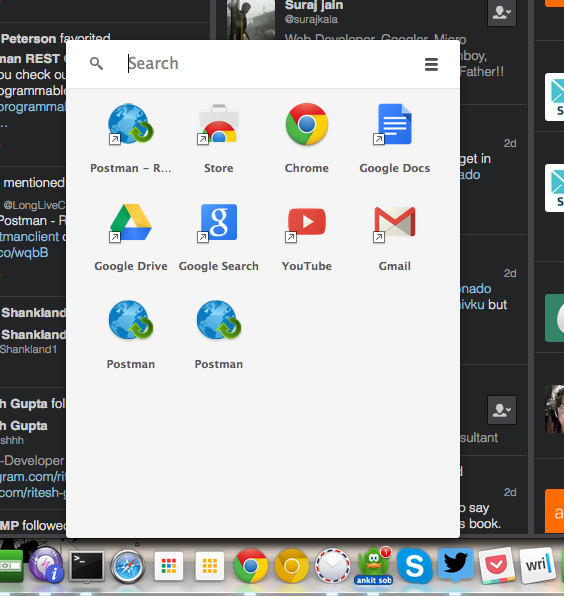
1. Open Postman through the launcher. (I have multiple versions of Postman for testing things out. Also, Postman will be getting a new icon soon)
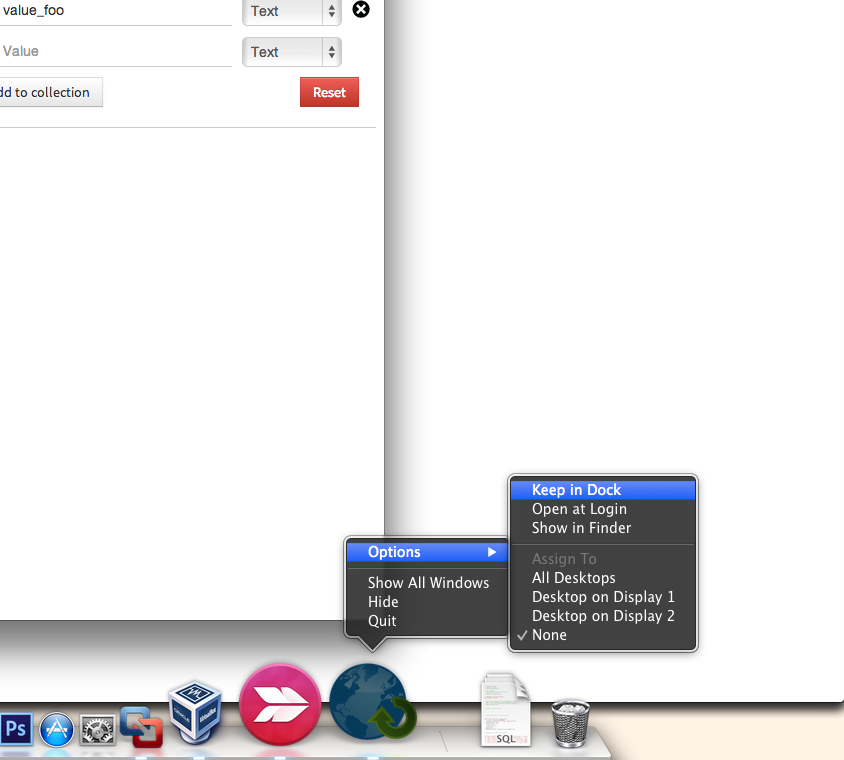
2. When the icon appears in the dock, right click on it and select Keep it in dock.
Windows
For Windows, the steps are the same as OS X.
1. Open Postman through the launcher
2. Right click the Postman icon and select pin icon in the task bar.
Linux (Ubuntu)
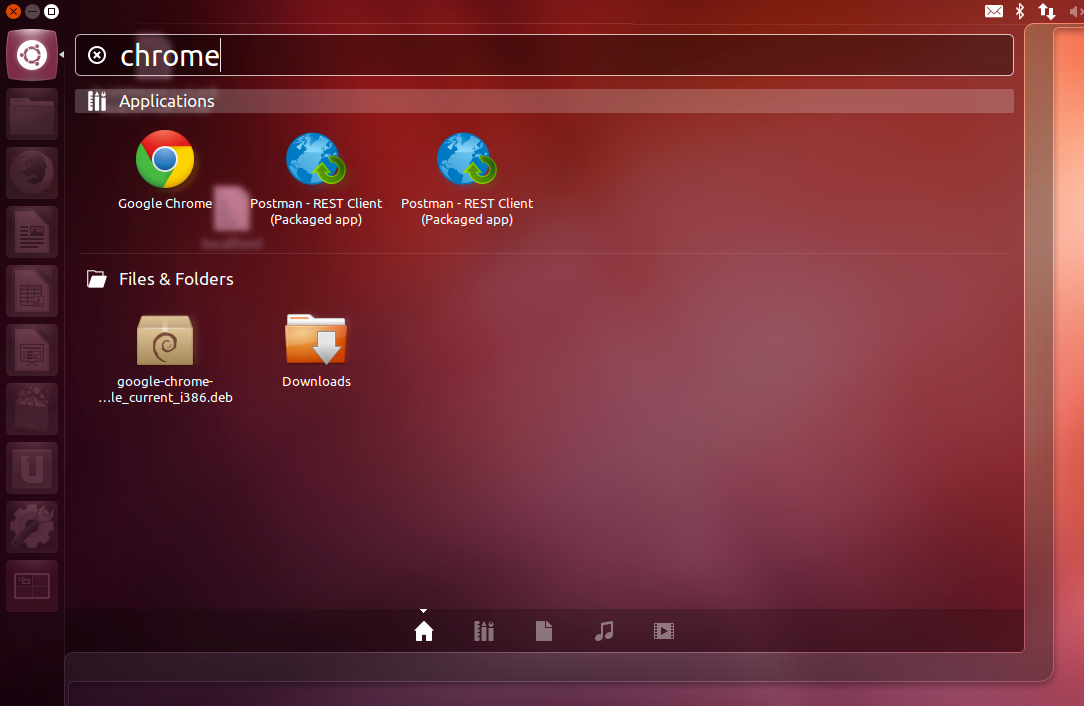
In Ubuntu, you can launch Postman directly from Dash. Just search for Postman. When the icon appears in the launcher, right click and select “Lock to Launcher”






Is there a way to open a postman collection on the browser by providing the url to the collection? My goal is to embed postman as an iframe with the documentation in it. That way postman becomes of a console.
What if a Ubuntu user is not under Unity? How to launch Postman under Ubuntu Mate or Xubuntu?
Just put in the url bar “chrome://apps”.
Can also see a detailed post at :
http://www.w3lc.com/2016/11/install-and-launch-postman-api-testing.html
hi! thank you for your product and service! i see that starting postman on windows 10 takes about a minute for it to open. any thoughts? thank you!
Hi, Please contact our support team at https://www.postman.com/support, and they’ll be glad to help you.