Postman 6.1 Linux Auto Update

Since launching the desktop client on Linux, we’ve received a lot of requests for a better update feature. Up to now each update has required manual install and cleanup. With today’s release, I’m excited to announce a feature that is going to make our Linux users’ lives a lot easier. Autoupdate for Linux is finally here (and it cleans itself up)!
Previously, Linux users needed to unpack and reinstall new versions on their own, and then perform cleanup on the leftovers afterwards. Now, when updating your Linux client all you have to do is follow the in-app instructions and restart, et voilà, your app is updated. Now every desktop client has the same update flow.
When new updates are available, an indicator will appear on the Settings icon in the navigation bar.
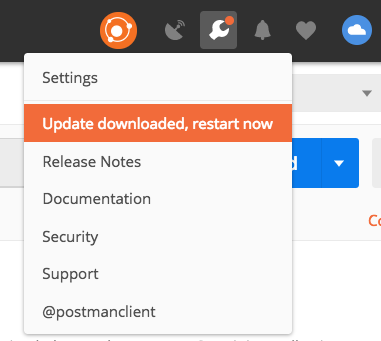
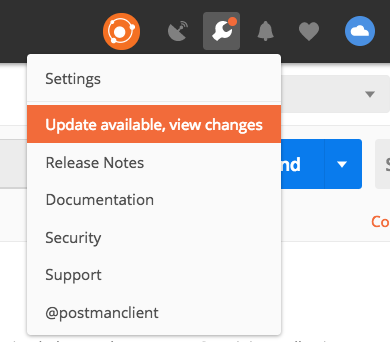
There are a variety of different package managers available across Linux distributions, but we wanted to have more granular control of the update process. As a result we’ve achieved this new functionality by creating our own packaging implementation. Be on the lookout for our upcoming “Postman Under the Hood” blog that walks through the process of innovation and implementation that led to this feature.







Thank you so much for supporting Linux. It really means a lot to me.
Oh yeah, we know that Linux suffers from package manager hell. Every distribution it’s own package. But you know this has been remedied lately by the introduction of container apps, like snap, flatpak or appimage? Why not support any of them? And not falling to the Not-Invented-Here Syndrome with your own update manager (hello Windows …)