
Streamline Access Control with Extended Roles & Permissions

Assigning roles and permissions to team members helps keep your team’s workflow organized and ensures that each teammate has a clear role in contributing to the development of your APIs. We know not everyone plays the same role in a team and that’s why Postman offers several roles and permissions to enable flexible team structures. Today, we’re excited to share that we just extended our roles and permissions!
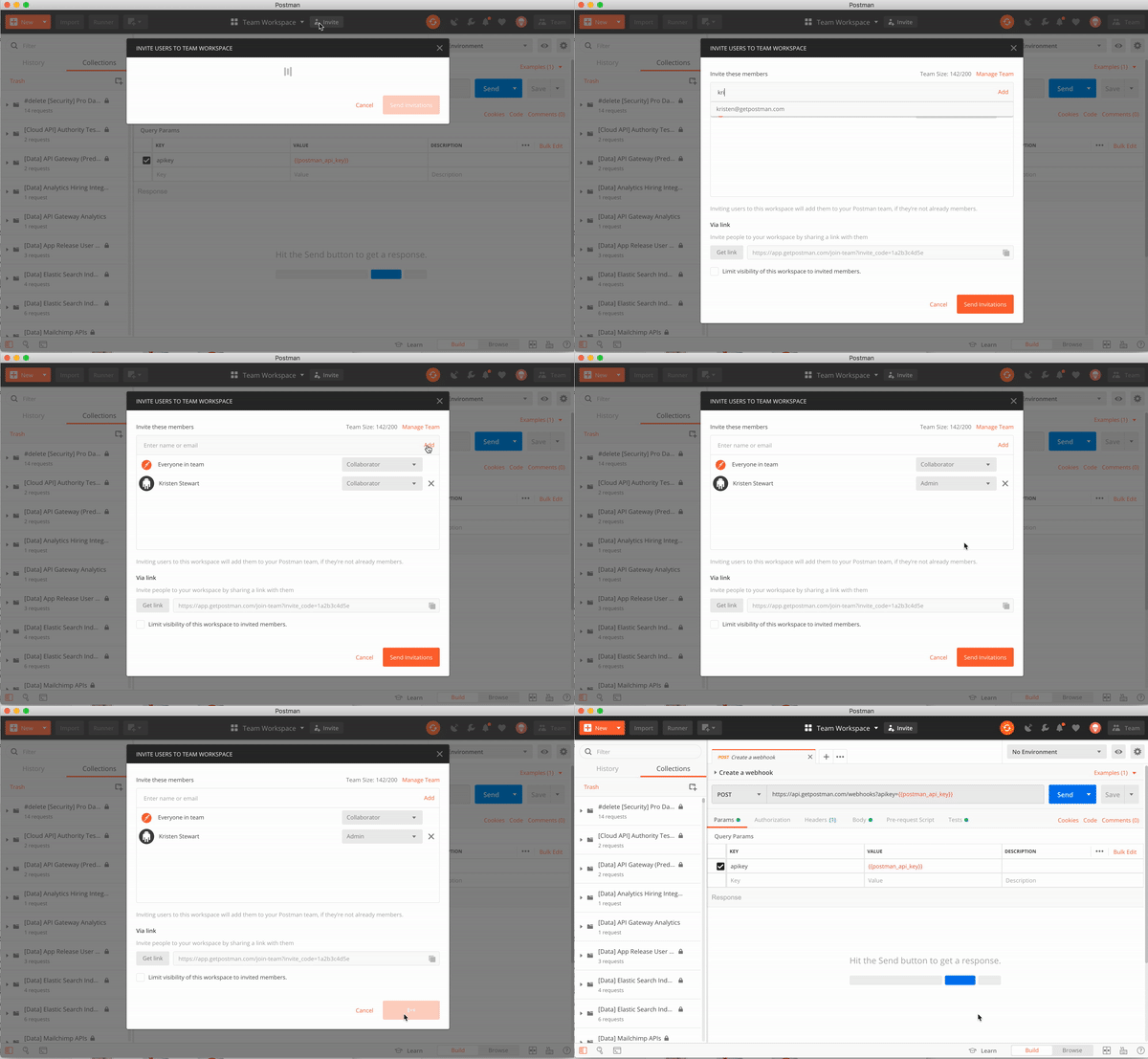
Postman allows members to be classified by their roles at the collection-level and team-level, and now, at the workspace-level. Below, you can see that we have added two new roles at the workspace level: Workspace Collaborator and Workspace Admin.
| Role | Description |
| Collection Editor | Can edit collection, assign roles, create monitors and mocks, publish documentation |
| Collection Viewer | Can view the collection, send requests and run the collection but do not have edit access |
| Team Admin | Can edit team meta, settings and invite or remove team members, can’t access team resources |
| Team Billing | Can access billing related features, can’t access team resources |
| Team Developer | Has access to team resources (collections, environments, workspaces) |
| Workspace Admin | Can edit Workspace information like name, summary, settings, remove members and change workspace roles, and delete the workspace. |
| Workspace Collaborator | Can view all resources in the workspace, add and remove stuff, create history, add members |
Assigning roles is easy. Here’s how you can do it:
We are constantly enhancing our collaboration capabilities and features. Our goal is to eventually allow teams to assign permissions at every level of their workflow. We are planning to launch even more roles this year to expand teams’ flexibility.
In our effort to bring you more granular controls, we have made some necessary changes to our backend. You or your team admin will need to migrate to Postman v7.0 in order to begin assigning these new roles and permissions to your team. The migration is slightly different than your normal update, but we’ve made it as easy as possible. Please refer to our migration blog and docs to learn more.






What do you think about this topic? Tell us in a comment below.