Share your local API changes for review—before they reach the Cloud

Working with Postman Native Git means your collections, environments, and API specifications live as files on your local file system, tracked in version control alongside the rest of your code. Changes are reviewable, branches are meaningful, and nothing moves to the cloud until you decide it should. For teams already working in Git, that’s a real workflow upgrade.
But there’s one step that stays awkward: the review.
The problem: reviewing in-progress work is harder than it should be
Say you’ve reworked a collection on a feature branch and you want a teammate to look before anything ships. Today you have two options, and neither is good.
You can ask them to pull your branch and open it in Postman locally. That works, but it’s friction—context switching, stashing their own work, syncing your branch—and it’s friction most teams quietly skip. Reviews get shallower as a result.
Or you can push to a shared cloud workspace so they can see it there. That gets your changes in front of them, but now half-finished work is sitting in a space the whole team uses, before it’s ready and before anyone has approved it.
The gap is a lightweight way to show someone your local changes—as they are right now, on your branch—without pulling anything and without publishing prematurely.
The solution: Share Local Changes
Share Local Changes closes that gap. From your local work in the Postman desktop app, you generate a link and send it to whoever needs to review. They open it in their browser, see exactly what you’re working on, and leave comments directly on your collections, environments, and specs. No branch to pull. No repository access required—anyone on your team can open the link, even if they don’t have permission to the underlying Git repository. And nothing lands in a permanent workspace until you choose to push it.
It’s the same idea as a preview deployment on a pull request, applied to your APIs: a temporary, shareable view of work in progress, meant for the review window and nothing more.
A shared link reflects your current local file-system state and supports the entity types you already work with in local mode: Collections, Environments and API specifications.
When you make more changes on your branch, you don’t generate a new link. You click Update shared link with latest changes, and the existing link reflects your newest work—so the URL you already sent stays current. When the review is done, Unshare changes takes the link down.
How it fits into your workflow
Sharing a contract change from backend to frontend
A backend developer adds a GET /users/search endpoint with pagination and updates the collection and the API specification on a feature branch. Before pushing anything to the team’s cloud workspace, they want the frontend developer who’ll consume the endpoint to sign off on the shape of the response.
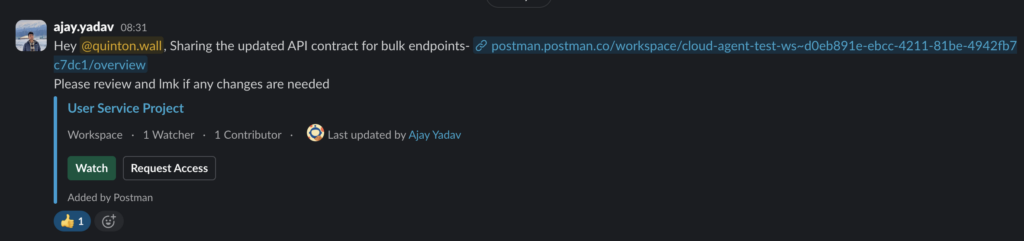
They click ‘Copy link’ and drop it into Slack. The frontend developer opens it in the browser—no branch pull, no local setup—inspects the request and the example responses, and comments right on the request.
A live companion to your pull request
When you open a pull request for your API changes, the file diff tells reviewers what changed. A shared link lets them use it. Paste the link into the PR description, and reviewers can open the actual collection next to the diff, read the requests as they’ll really appear, and leave comments—without checking out the branch. With the Collection v3 YAML format storing each request as its own file, the diff is already readable; the shared link adds the interactive layer on top of it.
An API design review, opened up to the room
Design feedback shouldn’t be gated on who has repository access. Because anyone on your team can open a shared link, you can bring a product manager, a technical writer, or an engineer from another team into a spec review just by sending a URL. They comment in place, you refine locally, and you update the link as the design settles.
Under the hood: temporary draft workspaces
For the engineering-minded, here’s what’s actually happening when you share.
A shared link is backed by a temporary draft workspace. When you generate the link, Postman takes a snapshot of your local file-system state and promotes it to a workspace in the cloud that exists purely for review. It’s deliberately isolated from your permanent and team workspaces, so in-progress work never clutters a space the whole team relies on. Clicking Update refreshes that snapshot; Unshare changes tears it down.
The design goal is that a draft workspace is ephemeral—it exists for the review window and no longer. That isolation is also why a draft workspace stays lightweight and focused on what a reviewer needs: viewing and commenting on collections, environments, and specs. You review against the link, and your changes reach the cloud through your normal Git layer.
How to get started
If you’re already using Native Git in Postman, you can try this on a branch you’re working on right now:
1. Open the Postman desktop app with your local Git repository connected, and switch to local mode.
2. Make a change to a collection, environment, or API specification on your feature branch.
3. Open the Local history tab in the sidebar.
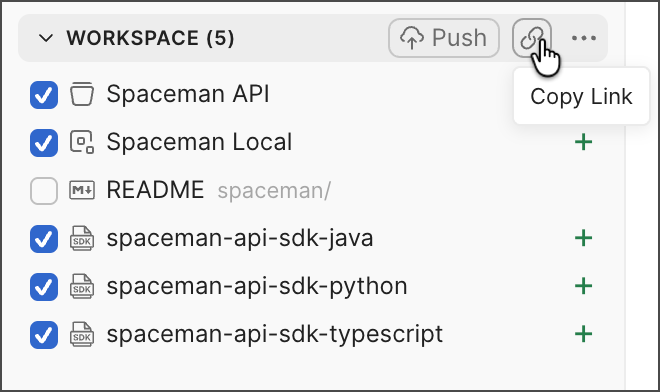
4. In the Workspace section, click Copy link.
5. Share the link with a teammate—paste it into Slack, a pull request, or a design doc. They can open it and comment without pulling your branch or having repository access.
6. Make more changes, then click Update to refresh what reviewers see.
7. When the review wraps up, open the View more actions menu and select Unshare changes.
Resources
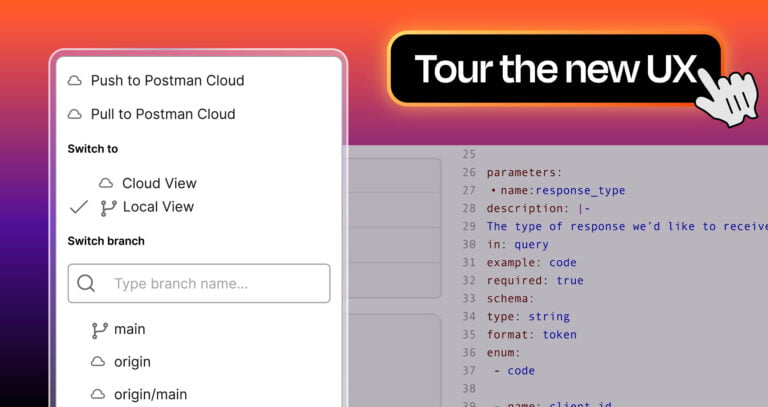
- Postman Native Git documentation — how Native Git works, the Local View and Cloud View, and how to link your Git repository
- Native version control on Postman Academy — hands-on course covering the full Git-Native workflow
- Better practices for Git version control in Postman — covers the Collection v3 YAML format and branching patterns
- Collaborating on APIs with Postman team workspaces and Native Git — team workflow patterns for Native Git
- Eliminate context switching with Postman Native Git and the GitHub MCP server — related post on keeping API and code work in one place
- The Postman CLI documentation — running collection tests in CI/CD after merge



What do you think about this topic? Tell us in a comment below.