How to Mock APIs Locally During Development

Local Mock Servers are one of the most underrated tools in API development.
They let teams move forward before every backend endpoint is finished, before every dependency is available, and before every contract is fully locked in. Instead of waiting on live services, developers can simulate API behaviour locally, unblock frontend and integration work, and start validating workflows much earlier in the cycle.
That’s what makes the new Local Mock Server feature in Postman such a big deal.
With Local Mocks, you can simulate a real API server directly from your Git-enabled local project, work against mocked responses in the same branch where you’re making API changes, and test everything before you commit anything. It’s a faster, safer way to iterate, especially when you want to validate changes without depending on deployed services or shared environments.
Local vs Cloud Mocks
Postman Cloud Mock Servers are already useful for collaboration, sharing examples, and simulating APIs from saved collection examples. But Local Mocks take that workflow closer to where developers actually work day to day: inside the local project, alongside the branch, code, Collections, and Environments they’re actively changing. Cloud Mocks are great for broad access; Local Mocks are great for fast local iteration.
What Local Mock Servers look like in Postman
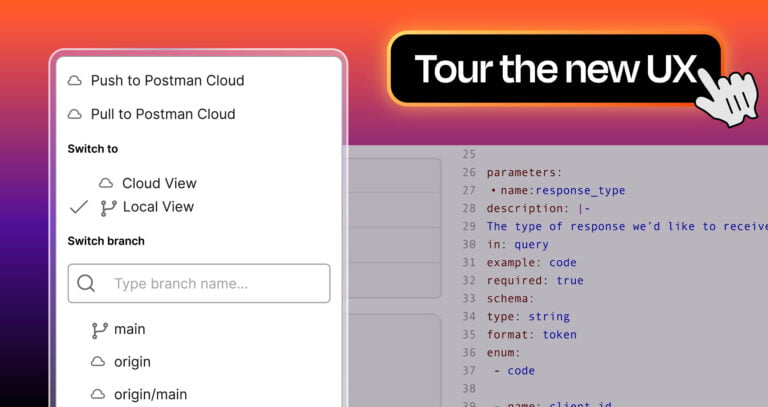
The Local Mocks feature works with your Git-enabled local project in Postman.
You can create a Local Mock Server from a template that you customise, or use Agent Mode to help generate the setup. Once created, you can start the mock server locally, simulate responses based on the logic in the implementation file, and inspect logs for the requests your mock handles. Local Mock Servers are supported in Local View, on the Postman Desktop app.
That means the Mock Server is not some disconnected side utility. It becomes part of the same local workflow as your Collections, Environments, and version-controlled API assets.
How to create a Local Mock Server
You can create a new Local Mock Server in a couple of ways. First, you can use a template that provides a boilerplate Mock Server, allowing you to manually add routes.
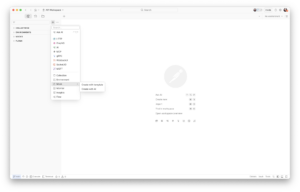
The quickest way to get a full Local Mock Server up and running is with Agent Mode.
Instead of building everything out by hand, you can prompt Postman AI to generate a Local Mock from your Collection, including the routes based on your requests and enough starter data to begin testing straight away. Open Agent Mode, describe what you want, and let Postman handle the setup.
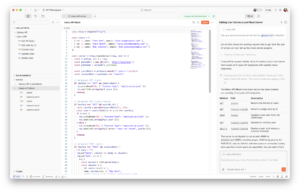
From there, Postman generates the local mock structure for you, including the implementation file you can customise. You can then define how requests should be matched and which responses should be returned.
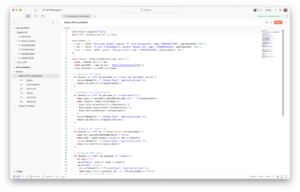
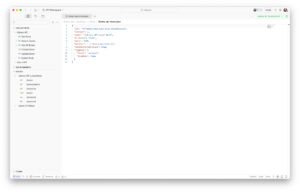
This is where Local Mocks become especially flexible. You are not limited to static hard-coded behaviour. Using the local mock scripting APIs within the Mock editor, you can reference incoming requests and even serve responses from your saved Postman examples using pm.mock.
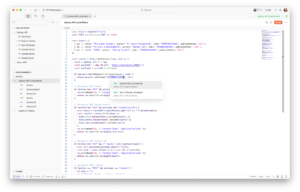
How Local Mocks are used during development
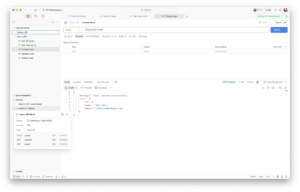
Once your Local Mock Server is running, you can point requests, services, or tests at it just like you would with any other API endpoint.
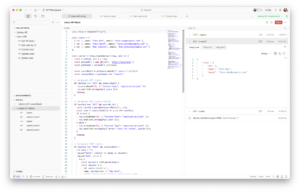
This is useful when:
-
A downstream dependency isn’t ready
-
You want predictable responses for local development
-
You need to validate contract changes before merging
-
You want to prototype new behavior without touching a live service
For teams collaborating in parallel, that is a huge win. Frontend developers can keep building. Quality Teams can keep testing. API designers can refine examples and contracts. Backend developers can validate request and response behavior before connecting everything to a live system.
Why this matters for CI and Integration testing
This is where the feature gets especially practical.
If you want to validate service changes before or after a commit, hitting deployed endpoints for every external dependency is often slow, brittle, and unnecessary. A Local Mock Server gives you a way to simulate those services consistently, reduce dependency on shared infrastructure, and avoid putting extra load on real environments.
Instead of relying on every external service to be available and stable, you can stand up the behaviour you need locally and run tests against that. The result is faster pipelines, fewer false negatives, and more confidence in changes earlier in the development cycle.
The Postman CLI is designed to support these kinds of headless development and testing workflows.
Using Local Mocks with the Postman CLI
The Postman CLI makes it easy to run a Collection against a Local Mock without adding much setup.
With the --mock flag, you can start the Local Mock Server and run the Collection in a single command, which makes this a simple way to add local testing and automated workflows.
postman collection run "./postman/collections/{{projectFolder}}" --environment "./postman/environments/{{EnvironmentFile}}.yaml" --mock "./postman/mocks/{{mockConfigFile}}.js"Here’s what that looks like in a minimal GitHub Actions workflow:
name: Run Postman Collection

on:
  push:
    branches:
      - main
  pull_request:
    branches:
      - main
  workflow_dispatch:

jobs:
  run-collection:
    runs-on: ubuntu-latest

    steps:
      - name: Checkout repository
        uses: actions/checkout@v4

      - name: Setup Node.js
        uses: actions/setup-node@v4
        with:
          node-version: '24'

      - name: Install Postman CLI
        run: |
          curl -o- "https://dl-cli.pstmn.io/install/linux64.sh" | sh

      - name: Run collection
        run: |
          postman collection run "postman/collections/Library_API" \
            --environment "postman/environments/Library_API_Environment.environment.yaml" \
            --mock "postman/mocks/library-api-mock.js"
The Local Mock Server can also be started as its own step in the workflow, which is useful when you want a little more control over how the job runs. This approach lets you bring the mock server up before your tests begin, keep it running while the collection executes, and then shut it down cleanly at the end of the workflow.
postman mock run "./postman/mocks/{{mockConfigFile}}.js"Here’s what those setup and teardown steps look like in a minimal GitHub Actions workflow:
name: Postman local mock test

on:
  pull_request:

jobs:
  test:
    runs-on: ubuntu-latest

    steps:
      - uses: actions/checkout@v4

      - run: curl -o- "https://dl-cli.pstmn.io/install/unix.sh" | sh

      - name: Start local mock
        run: |
          postman mock run "./postman/mocks/library-api-mock.js" &
          echo $! > mock.pid
          sleep 5

      - name: Run collection
        run: |
          postman collection run "./postman/collections/Library_API" \
            --environment "./postman/environments/Library_API_Environment.environment.yaml"

      - name: Stop local mock
        if: always()
        run: kill $(cat mock.pid)
Summary
Postman’s Local Mock Servers help teams move from “waiting on dependencies” to “building with confidence”.
They bring mocking closer to where development actually happens: in the local project, inside the branch, next to the collections, environments, and API definitions that are changing in real time.
Whether you are prototyping a new endpoint, unblocking a frontend team, or speeding up integration tests, Local Mocks give you a faster path from idea to validation.
If you are already using Postman with native Git workflows, Local Mocks feel like a natural next step.
They let you simulate first, validate earlier, and commit with much more confidence.
Resources
-
Cloud-based mock servers – how Postman mock servers work with collections and saved examples.
-
Local mock servers – how to create and run Git-backed local mock servers in Postman.
-
Postman CLI mock commands – how to start and run local mocks from the CLI.
-
Local mock scripting – how to reference requests and serve saved examples in local mocks.
-
Native Git in Postman – overview of Git-backed local API workflows in Postman.





What do you think about this topic? Tell us in a comment below.