Run in Postman Is Now Available for Linux

Good news everyone! Till now, our very popular Run in Postman functionality worked only within the Windows and MacOS native Postman apps. Starting with Postman 6.3.0 – available now – Run in Postman support is now available for Linux users.
The Run in Postman button is a great way to share Postman Collections on any webpage. Visitors on the webpage can click it and load a collection straight into their Postman app. It is a small HTML snippet with some intelligence added to it, detecting which operating system the user has already installed. If you publish your API documentation publicly, you can add this button to your documentation to easily distribute your API’s collection.
A few additional steps for Linux
Installing the Postman app on Linux requires a few extra steps. You need to create a .desktop file in your home directory under ~/.local/share/applications. Assuming you have downloaded the file from getpostman.com and extracted it to the ~/bin/ directory, then your .desktop file will look like this:
[Desktop Entry]
Encoding=UTF-8

Name=Postman

Exec=YOUR_INSTALL_DIR/Postman/app/Postman %U

Icon=/home/<username>/bin/Postman/app/resources/app/assets/icon.png

Terminal=false

Type=Application

Categories=Development
You can add this to ~/.local/share/applications/postman.desktop. With this in place, web browsers will be able to detect the Postman app. Whenever you click a Run in Postman button after that, your browser will forward the call to the postman:// protocol. This .desktop file is the entry point for handling calls made to the postman:// URL protocol.
To check whether your postman.desktop file is properly registered with the OS, you can run this command in the command line:
$ xdg-settings check default-url-scheme-handler postman Postman.desktop
If your settings are correct, the command above will pass successfully.
Try it out
On Postman 6.3.0 and up, whenever you click a Run in Postman button on Linux with the above configurations in place, the Postman app for Linux will open and load the collection and environment pointed to by the Run in Postman button.
When you click on the Run in Postman button, you should first see a prompt which asks you to choose the Postman Linux app:
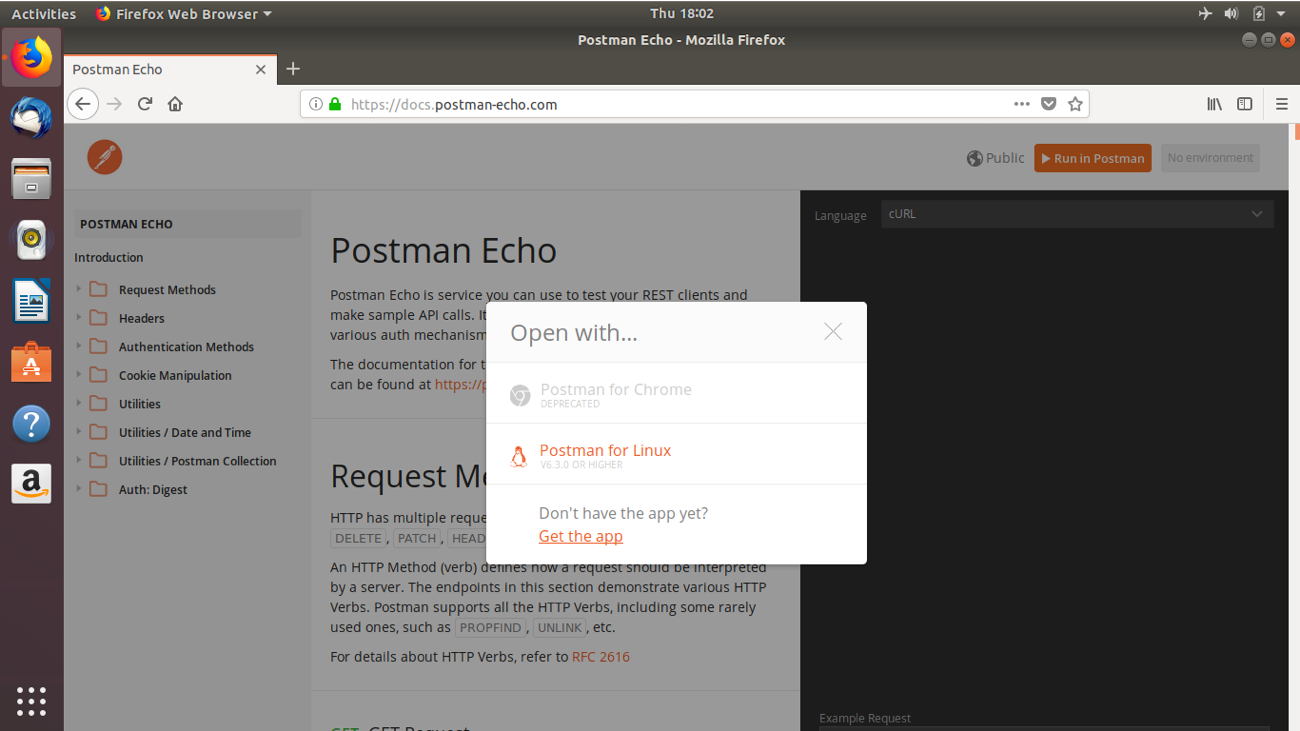
When you click it, Postman will load the collection and associated environment, if one is provided:

You can find a list of popular APIs on our Public API Network. Go ahead and browse it and select any API that you want to import as a collection!
Watch and learn
Level up your Postman game with our 2-minute YouTube video that explains how to generate a Run in Postman button to share a collection and environment:







There is a typo, instead of `~/.local/share/application`, it should be `~/.local/share/applications`.
Thank you for catching that! Updated.