
Reusable Requests: Enhancing Modularity and Efficiency

Imagine treating a request in Postman as a reusable component, not something you copy and paste across collections, but something you define once and reference anywhere.
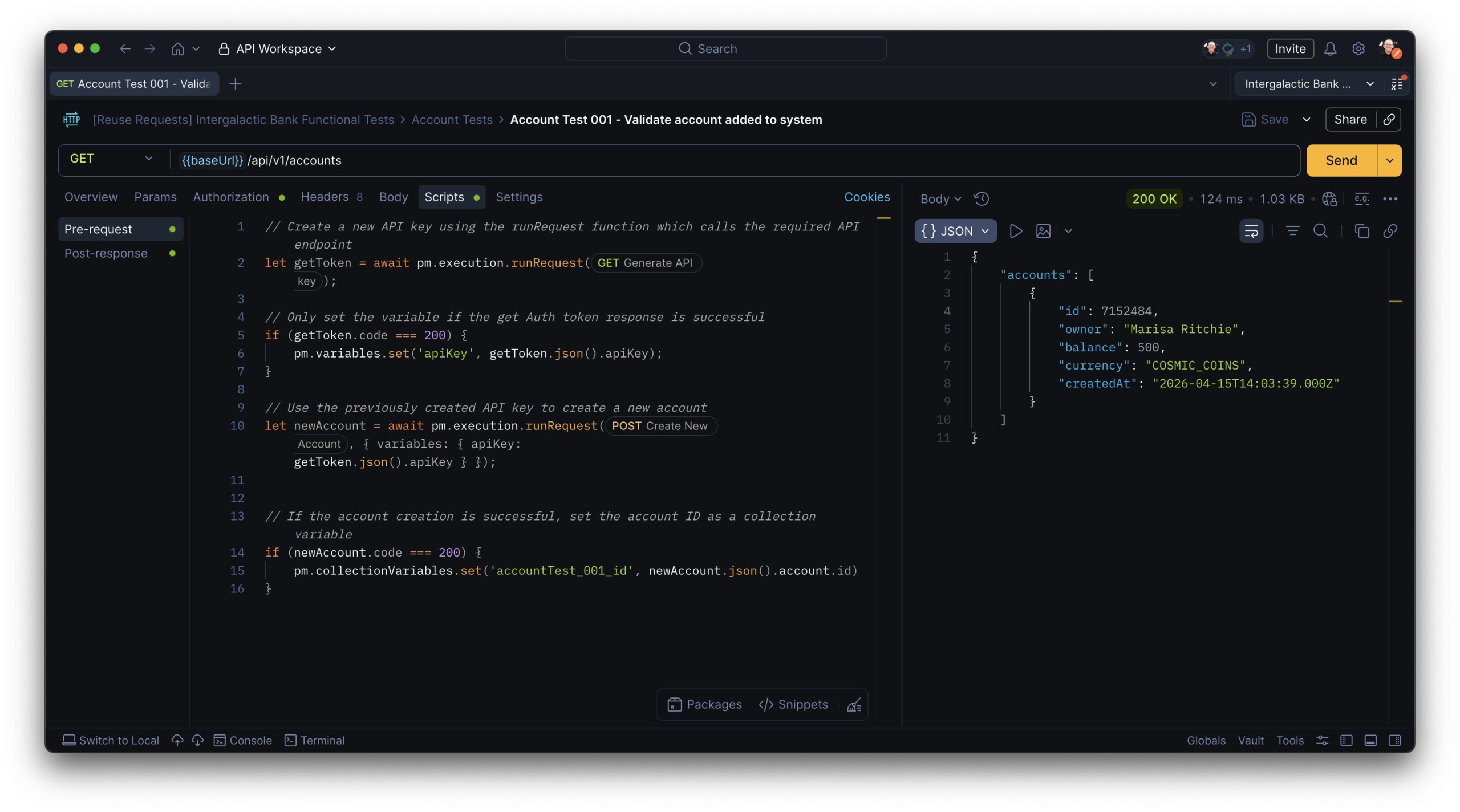
This pattern eliminates duplication, reduces maintenance, and creates a clear separation of concerns. Instead of repeating the same request across multiple collections and maintaining tests in multiple places, you maintain it once. No fragile sequences of repeated requests across workflows.
So how do you actually do this in Postman?
There are two ways to reuse requests: one built directly into the UI for visual workflows, and another available in scripts for more dynamic, programmatic control. Which one you use depends on whether you’re designing flows interactively or composing them in code. Let’s look at both.
Reusable requests in the collection
Common use cases
- Regression collections – pull linked copies of your core requests into a dedicated regression suite, so fixes or updates to the source are automatically reflected without having to maintain a separate set of requests
- Scenario collections – compose workflow-specific collections from shared requests across your workspace, combining linked copies into sequences that reflect real user journeys without duplicating the underlying requests
- Team-specific variants – let different teams run the same core request with their own overrides for parameters, body, or test logic, keeping a single source of truth while still accommodating workflow-specific needs
How it works
To reuse a request as a linked copy, you have two options:
- Drag and drop: Hold ⌘+Drag (Mac) or Ctrl+Drag (Windows/Linux) to drag a request into another collection. This creates a linked copy in place.
- Copy and paste linked: Click the ⋯ View more actions icon next to the source request and select Copy. Then in the destination collection, click ⋯ View more actions and select Paste > Paste linked copy.
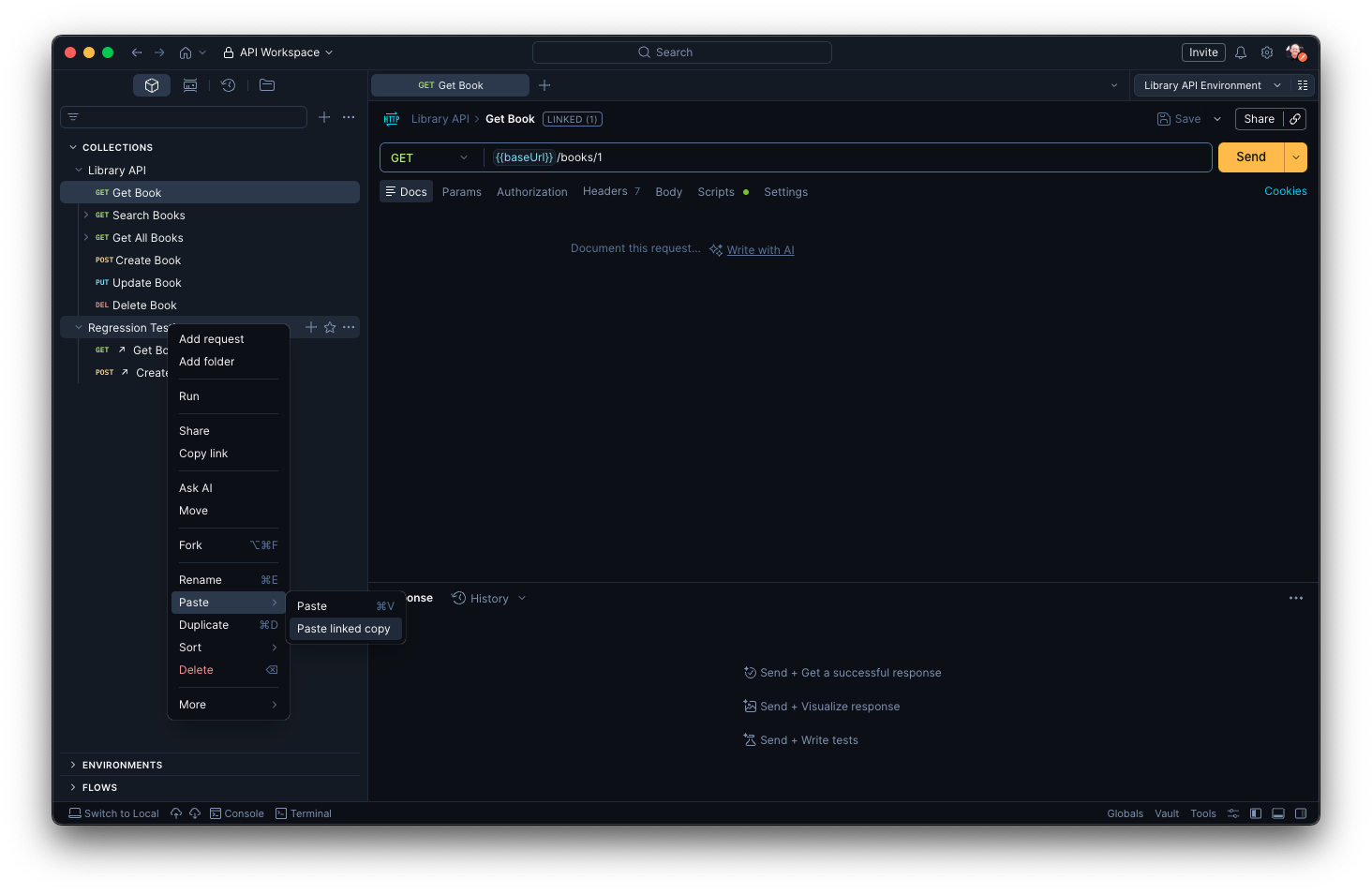
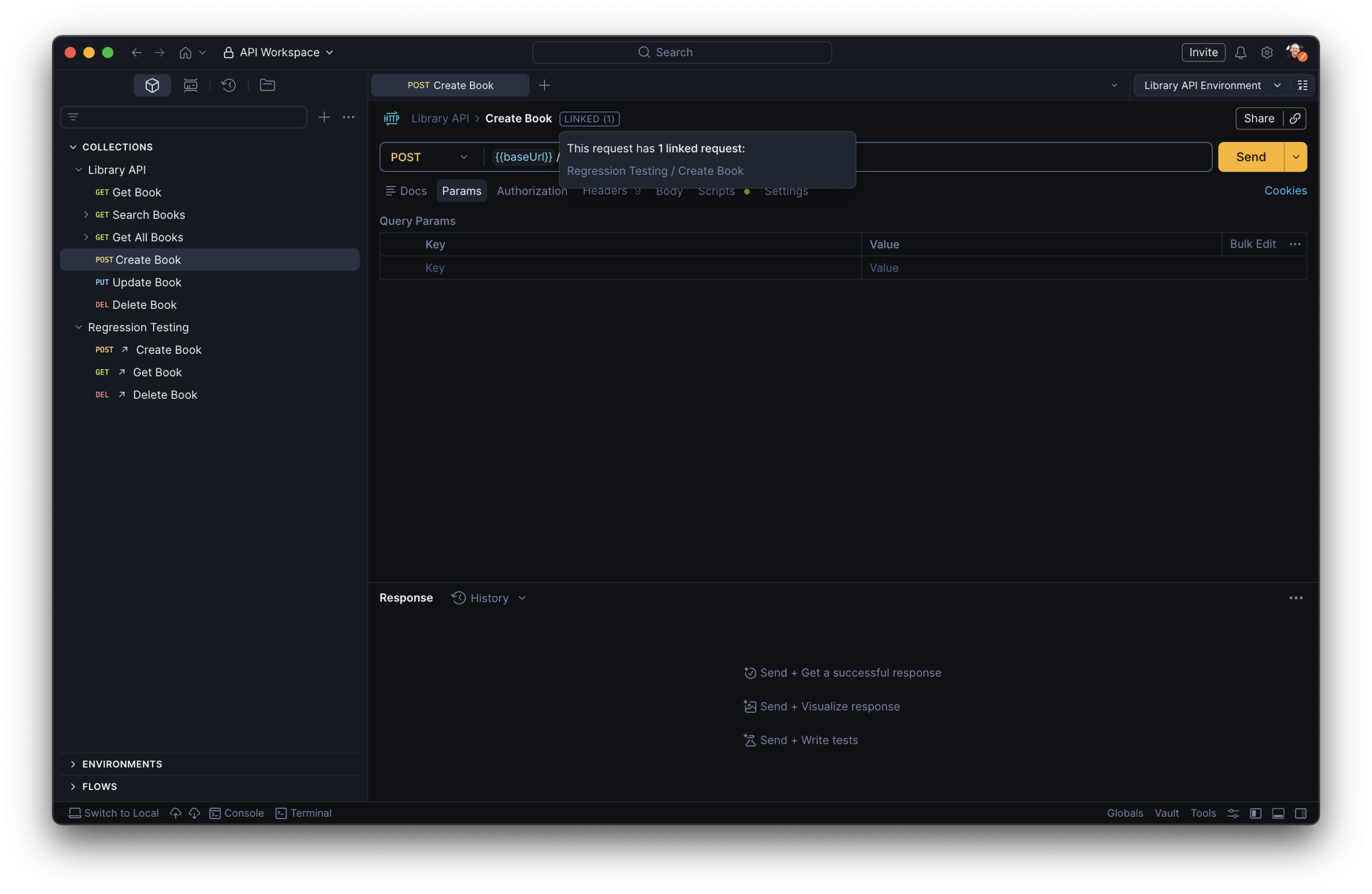
Once linked, a workbench card next to the request name shows the source request and any other linked copies. Linked requests run in the Collection Runner and Monitors, and you can fork collections that contain linked requests without breaking those links.
Overrides
A linked copy isn’t fully editable by design; it stays in sync with its source so your teams aren’t maintaining diverging versions. However, on a Postman Enterprise plan, you can customize the linked copy for your specific use case by changing the name, query parameters, body, and scripts. Any overrides you’ve applied are visible in the workbench card popout, and can be reset from there if you want to go back to the source’s defaults.
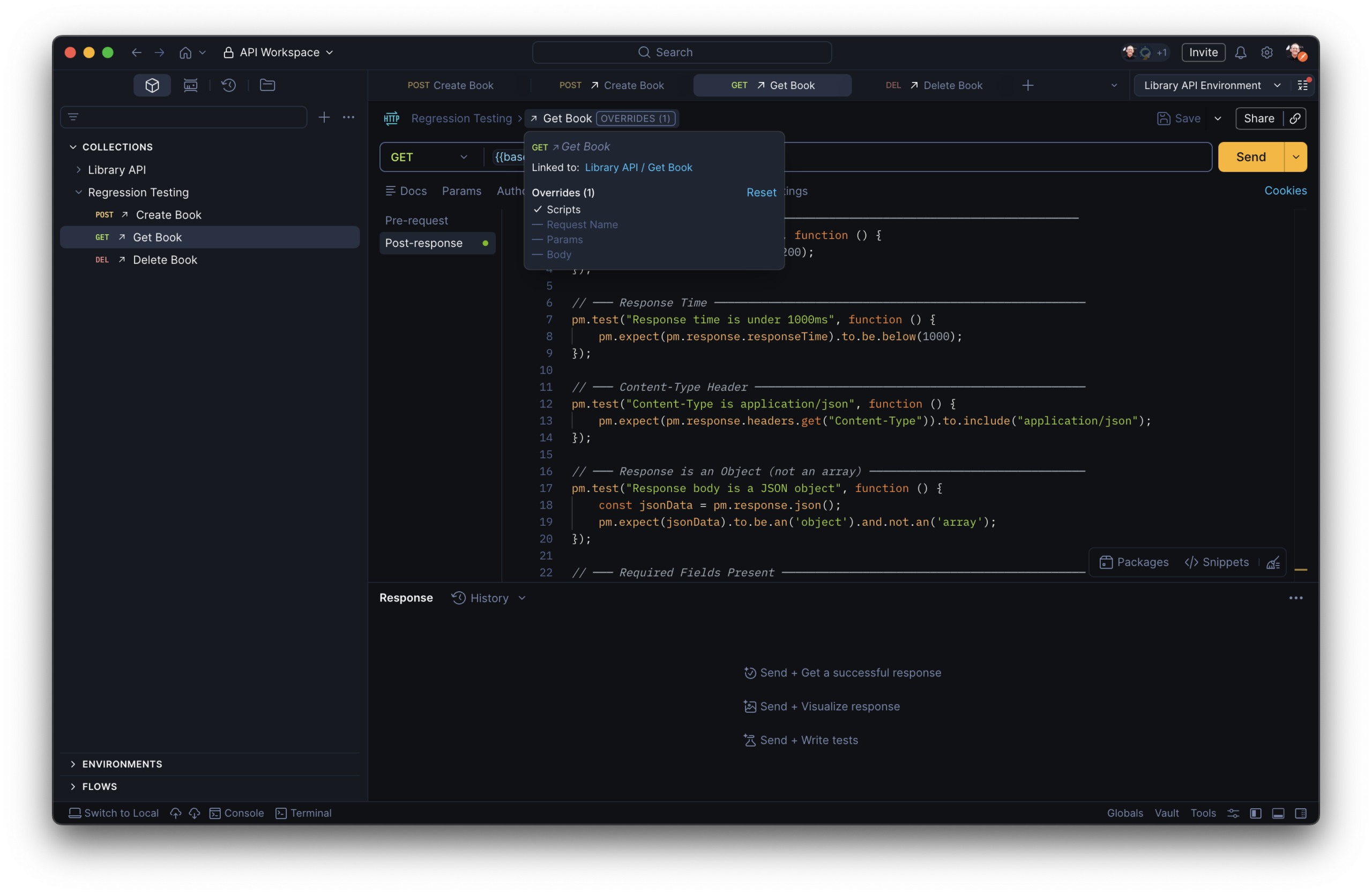
This makes linked copies ideal for scenarios where a core request is shared across teams but different workflows need slightly different parameters or test logic on top of it.
Reusable requests in a script
With pm.execution.runRequest(), a live link between every request you have is natively supported in Postman.
If you’ve ever asked “How do I automatically use a token generated by my login request in another?” or “After my collection finishes, how do I invoke a request from my infrastructure collection to shutdown the server?” the answer used to be “you can’t” or a maze of workarounds. You absolutely can now.
Common use cases
- Setup and teardown tasks – keep your test scenarios clean with a standalone unit for environment setup or server shutdown, without creating hard dependencies between collections
- Authentication token generation – invoke a dedicated auth request at runtime to fetch and store a fresh token, keeping credentials centralised in one reusable unit rather than duplicated across collections
- Extracting response data – run a referenced request and store values from its response for use later in the same workflow
- Runtime variable overrides – swap out URL, headers, or parameter values dynamically at the point of invocation without modifying the source request
How it works
In a request/collection/folder’s Scripts tab, use pm.execution.runRequest in a pre-request or post-response script to send HTTP requests stored in your collections. The request you call the method from is the root request; the request you reference is the referenced request.
When the root request runs, it executes exactly as it’s configured including its defined parameters, headers, variables, and test scripts. Importantly, test results appear in the root request’s results, giving you full visibility without a separate run.
The method runs asynchronously and returns a Promise, so use await to ensure you capture the response before continuing:
try {
  const response = await pm.execution.runRequest(
    "12345678-12345ab-1234-1ab2-1ab2-ab1234112a12",
    {
      variables: {
        base_url: "https://api.library.com",
        id: "12345abc"
      }
    }
  );

  console.log("Status:", response.code, response.json());
}
catch (error) {
  console.error("Failed to run the referenced request:", error);
}
Arguments
First argument — Request ID
Pass the request ID of the request you want to run. When you start typing inside the method call in the Postman editor, a dropdown automatically displays matching requests from across your workspace — enter a request or collection name and select from the list.

To get a request’s ID manually: open the request, click ⓘ Info in the right sidebar, then click Copy request ID.
Second argument — Variable overrides (optional)
Pass an options object to override variables at runtime without touching the source request. Variable resolution follows this priority order (highest wins): override values > local variables > data variables > environment variables > referenced request’s collection variables > root request’s collection variables > global variables.
Things to know
- It is not supported in Newman or the Postman VS Code extension — only in the Postman app and in the Postman CLI.
pm.execution.setNextRequest()andpm.visualizerwill not run inside the referenced request.- If the referenced request uses
pm.execution.skipRequest()in its pre-request script, the method returnsnull. - Postman doesn’t preserve request IDs when you export a collection. If you import a collection that uses
runRequest, you’ll need to update the request IDs in the root request after import.
Reusable requests give you two levels of modularity in Postman: a visual, UI-based approach for linked copies that stay in sync across your team, and a scripting approach that lets you compose dynamic workflows from any request in your workspace. Used together, they turn your collections from isolated request lists into a connected, maintainable API toolkit.
Resources
- Collection Runner documentation
- Writing scripts in Postman
- Monitors overview
- The Postman VS Code extension







What do you think about this topic? Tell us in a comment below.