Introducing Postman Datasets

Every API testing workflow eventually hits the same wall: scattered test data. CSV files across different repos, environment variables that only make sense to the person who set them, and collections that work locally but break in CI because someone updated a fixture file.
Postman Datasets is a new data layer for your API workflows. Define your data once – where it comes from, how it’s shaped – and use it consistently across collection runs, mocks, scripts, and automation pipelines.
Datasets is available now in beta across Solo, Team, and Enterprise plans. Here’s what you can do with it.
Define your data with sources and views
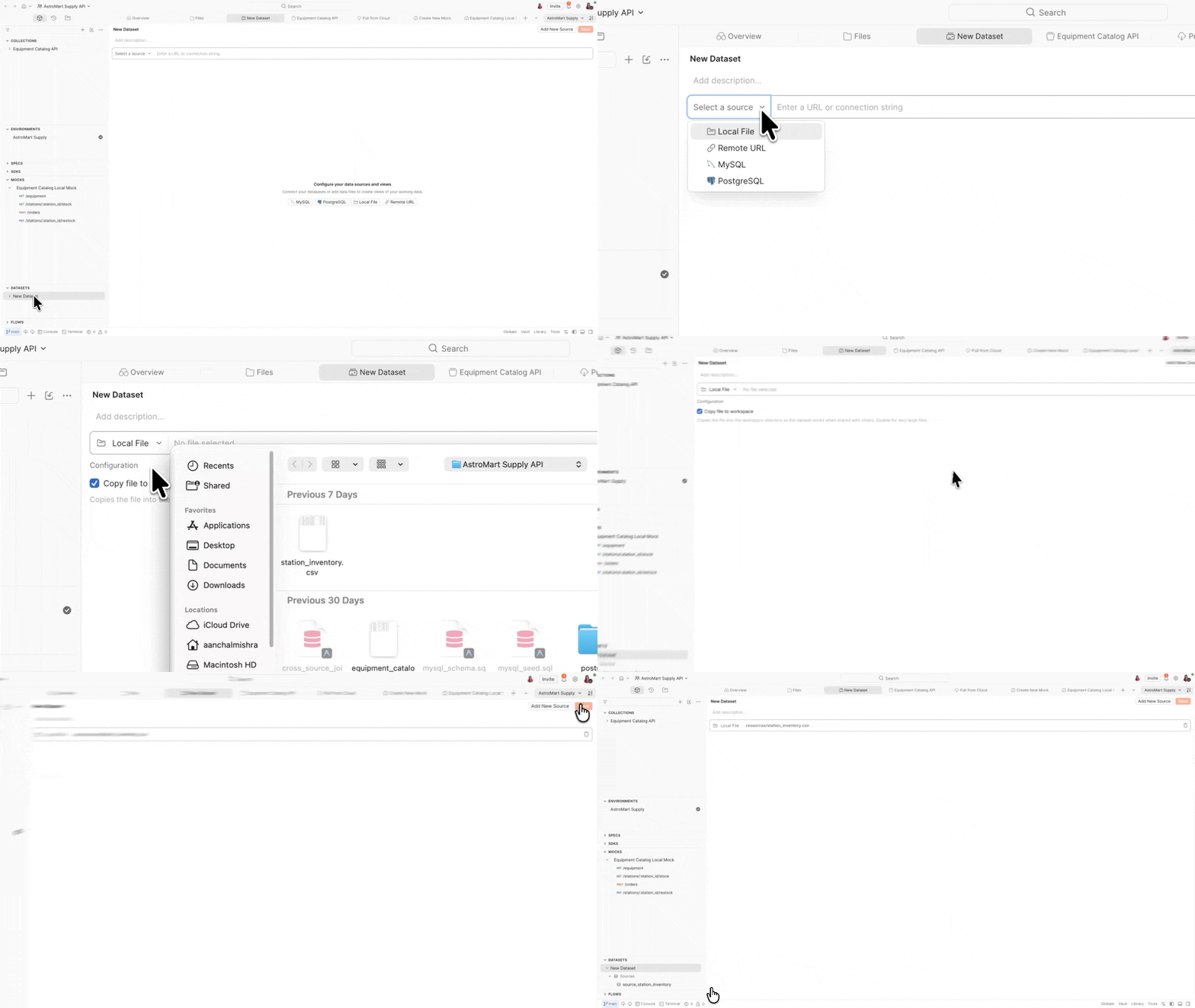
Datasets are built on two simple concepts: data sources and views.
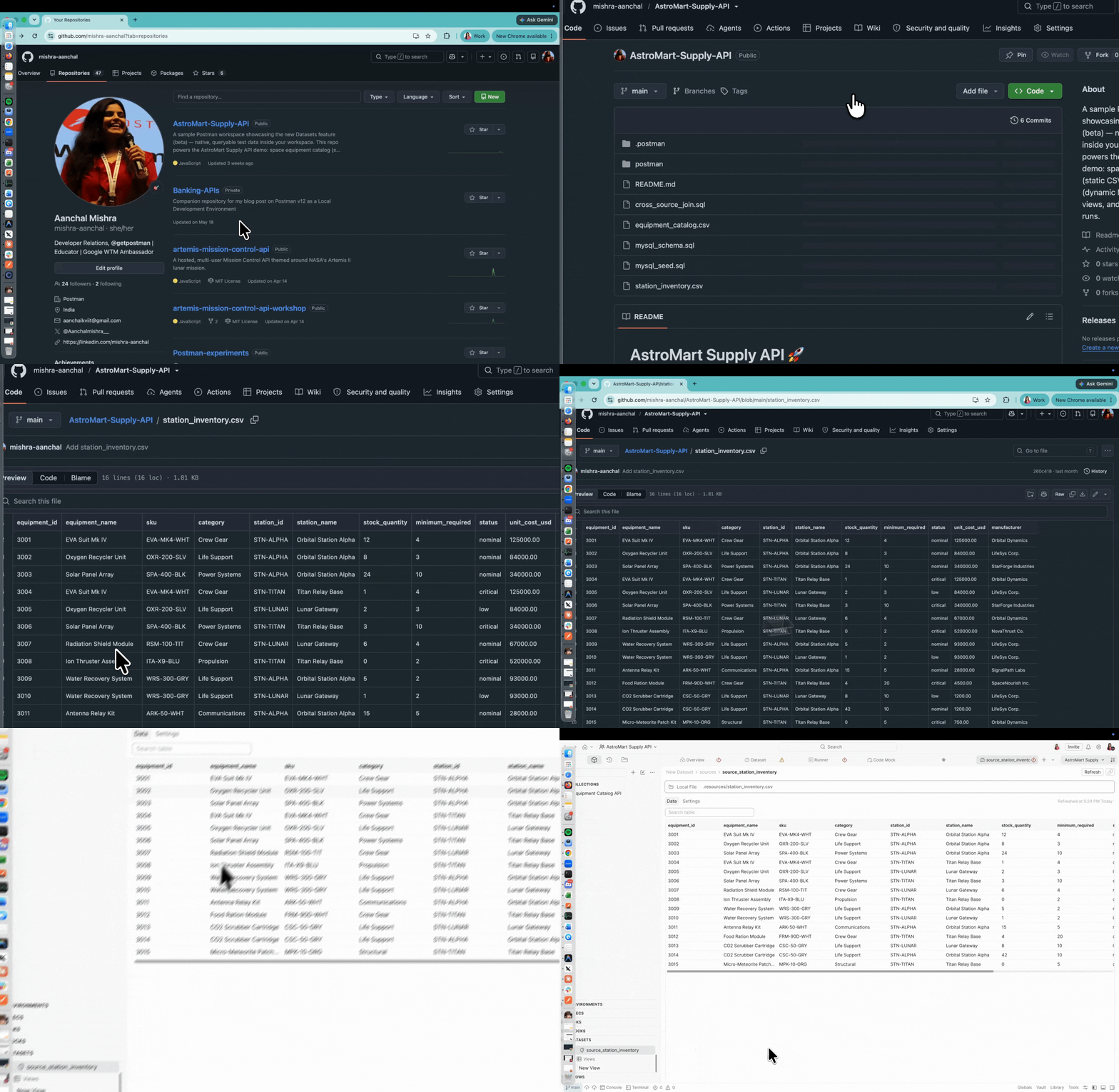
A data source is where your data lives. Postman Datasets supports multiple source types:
- Local file – CSV or JSON files that you edit, extend, and version alongside your collections
- Remote URL – CSV or JSON files hosted at a remote URL, so you can pull data from external systems without downloading files manually
- MySQL – connect to a MySQL database to test against live, dynamic data
- PostgreSQL – connect to a PostgreSQL database with full support for schema selection
Store sensitive connection details like database hosts and passwords as vault secrets in Postman Vault to keep credentials safe.
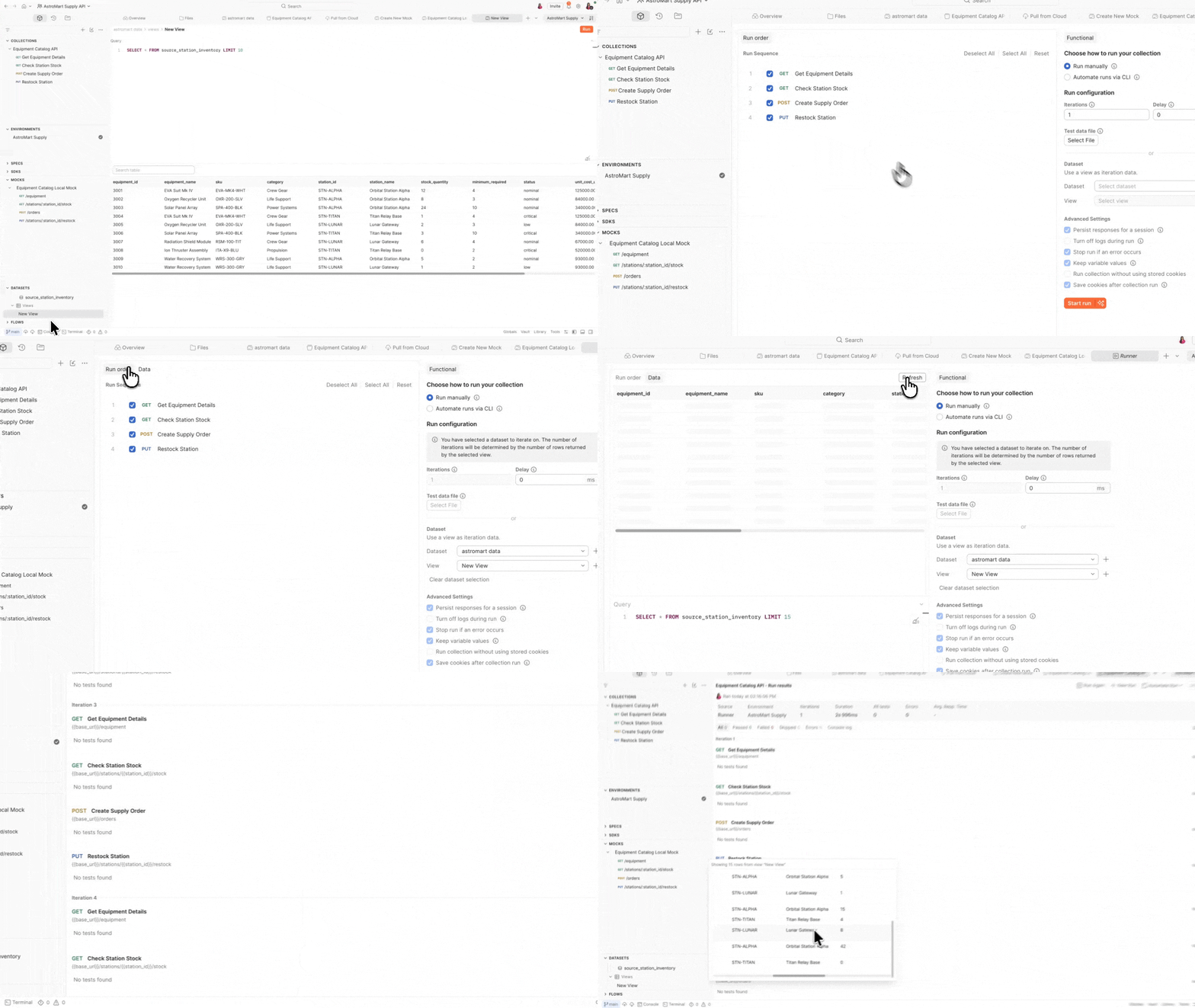
A view is a saved SQL query that sits on top of your data sources. Views use SQLite-compatible syntax and functions by default, and let you shape, filter, and combine data for specific test scenarios – without duplicating files or touching the raw data.
-- Show only critical stock items, sorted by urgency
SELECT
  equipment_name,
  sku,
  station_name,
  stock_quantity,
  minimum_required
FROM source_station_inventory
WHERE status = 'critical'
ORDER BY stock_quantity ASC
Whether you’re starting from existing test data and building tests around it, or you have tests already and need to map data to your variables – views give you the flexibility to work in either direction.
What views can do
- Map fields – rename columns to match the variable names your collection expects
- Filter subsets – scope data to specific test scenarios (e.g., only critical items, only a specific station)
- Join sources – combine data from multiple sources in a single query – even across a database and a local CSV
- Compute values – generate timestamps, concatenate fields, or apply transformations
One dataset, multiple views – a view for smoke tests, another for load testing, another for edge cases. No duplication needed.
Use Datasets across your workflows
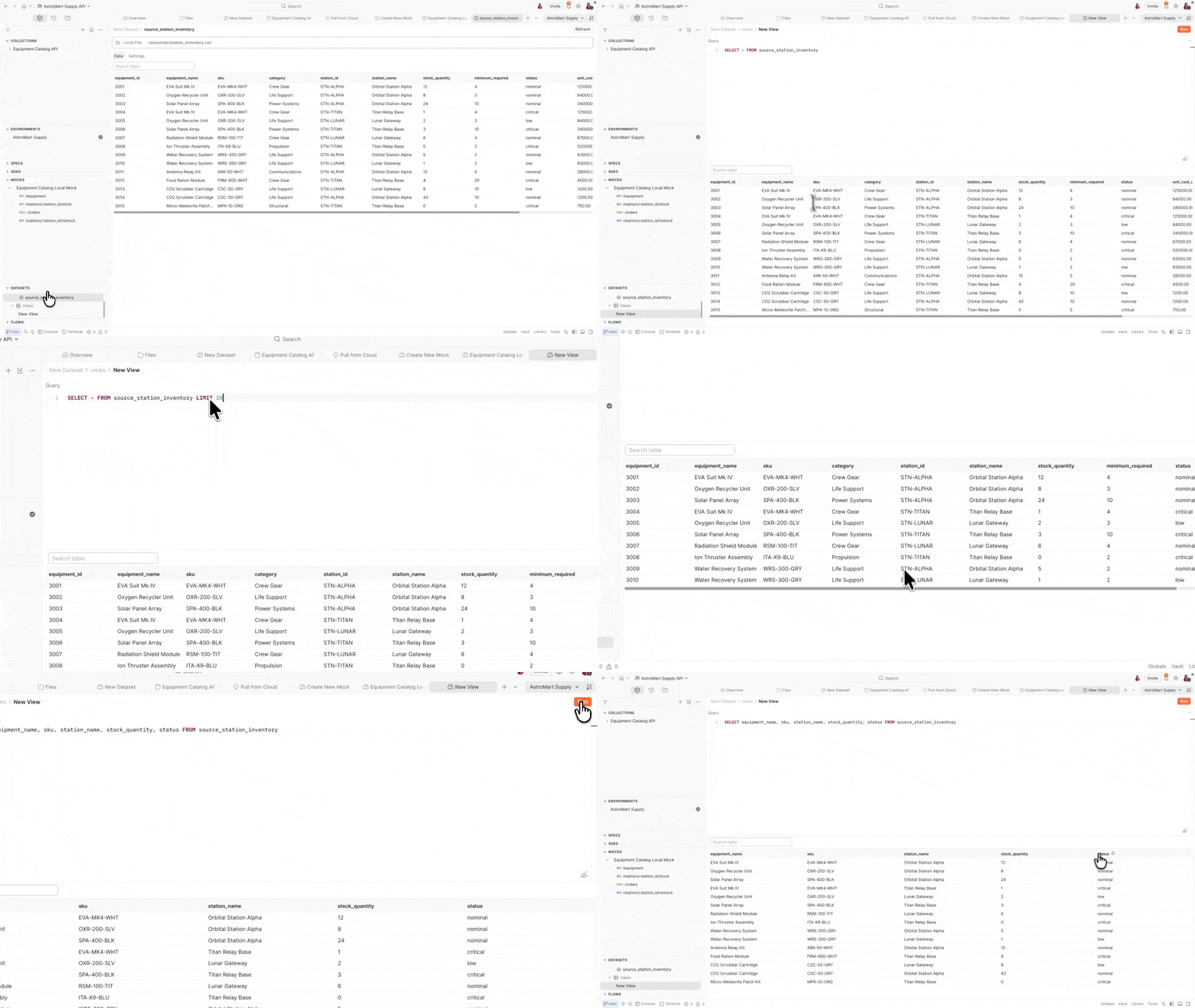
Once you’ve set up a data source and a view, Datasets work across Postman – wherever you need test data.
Run data-driven collections – Select a dataset view as iteration data in the Collection Runner. View columns map to your collection variables automatically. Each row runs your requests with different inputs, and the number of iterations is determined by the rows returned by the view. No scripts, no manual wiring.
Power stateful mocks – Use pm.datasets in local mock servers to return dynamic responses based on queryable data. Load a dataset by its ID, then query it with executeQuery() for custom SQL or executeView() to run a predefined view. Filter for the right record and return contextually relevant data instead of static responses.
Validate responses in scripts – Access Datasets inside pre-request and post-response scripts using pm.datasets. Load a dataset by ID, query it to compare API responses against expected values, and even manage views programmatically with addView() and removeView().
Automate in CI and Monitors – Dataset support in the Postman CLI and Monitors is coming. When it lands, your CI runs and scheduled monitors will pull from the same views you use locally – no file-passing, no drift.
Generate data with AI – Use Agent Mode to generate realistic test data from a plain-language description. Agent Mode can create new CSV or JSON files with sample data, add rows to existing sources, or insert records into connected databases – so you can get started without manually crafting test data.
Git-native by design
Datasets are stored as YAML definition files in your local Git repository, alongside your collections. The dataset file at
/postman/datasets/<dataset-name>/<dataset-name>.dataset.yamldefines your data sources and views, and serves as the source of truth for your dataset configuration.
Any changes you make in Postman are reflected in this file, and updates to the file are reflected in Postman. This means you can:
- Version your test data alongside your collections
- Review data changes in pull requests
- Roll back data definitions the same way you roll back code
- Keep your offline workflow running without any cloud sync dependency
This local-first design makes Datasets a natural fit for Native Git workflows in Postman.
Try it now
Postman Datasets is available now in beta across Solo, Team, and Enterprise plans, in Local View on the Postman desktop app for workspaces with a connected Git repository. Support for Postman Cloud is coming soon.
To get started:
- Open a workspace in Local View with a connected Git repo
- Find Datasets in the left sidebar
- Add a data source – start with a CSV or JSON file
- Create a view to shape your data with a SQL query
- Open the Collection Runner and select your dataset view as iteration data
We’d love your feedback as we shape this feature!








What do you think about this topic? Tell us in a comment below.