Get External Contributions to your Workspace with Forks and PRs

Building APIs isn’t an engineering‑only effort. Beyond the people writing code, you have technical writers shaping documentation, QA extending tests, frontend engineers validating contracts, and sometimes even partners proposing changes. All of them need a safe, structured way to influence your API artifacts, without needing direct access to the service repo or your internal Git workflows.
In the previous article, you set up the inner collaboration loop : a Postman Team Workspace connected to Git, where collections, environments, and other artifacts live alongside code, evolve through pull requests, and are published to Postman Cloud via CI. If you haven’t gone through it yet, we recommend reading it for the full end‑to‑end setup, but you can still follow along with this article as long as you have a Postman Workspace available.
In this article, we’ll focus on the outer loop, to collaborate with external contributors by:
-
Exposing your collections in Postman Cloud so they’re discoverable by other teams
-
Letting contributors work in isolated forks, similar to Git branches
-
Using pull requests on collections to review and merge changes back into your shared Workspace
Publishing collections to Postman Cloud makes them discoverable to documentation, QA, frontend, and partner teams. They can find a collection, fork it into their own Workspace, and iterate independently, just like working on a Git branch without touching your service repo or internal Git workflows.
With this model in place, non‑engineering contributors can safely propose documentation, tests, and workflow improvements without ever modifying the underlying codebase.
In the rest of this section, we’ll walk through the end‑to‑end flow using a technical writer as an example contributor. The steps to contribute changes back to the original Workspace are as follows:
Getting Started
If you published a Workspace to the cloud following the previous article, use your existing collection. Otherwise, create a new Workspace, fork this collection into it, and then proceed with the remaining steps. Forking a collection here is the same as step 1 below; you must do it now to have a starting point and again in step 1 to follow the contribution flow.
Step 1 – Fork the Collection
Create a new Workspace named “Book-API-Docs”. In the original Workspace(or newly created one in the section above), click the collection name in the Workbench, then select Fork from the top navigation menu. Alternatively, click the ellipsis icon next to the collection name and choose Fork.
Provide a label for the fork, and select the new Workspace you created as the target Workspace. Choose environments that you need to fork as well, so you do not lose credentials.
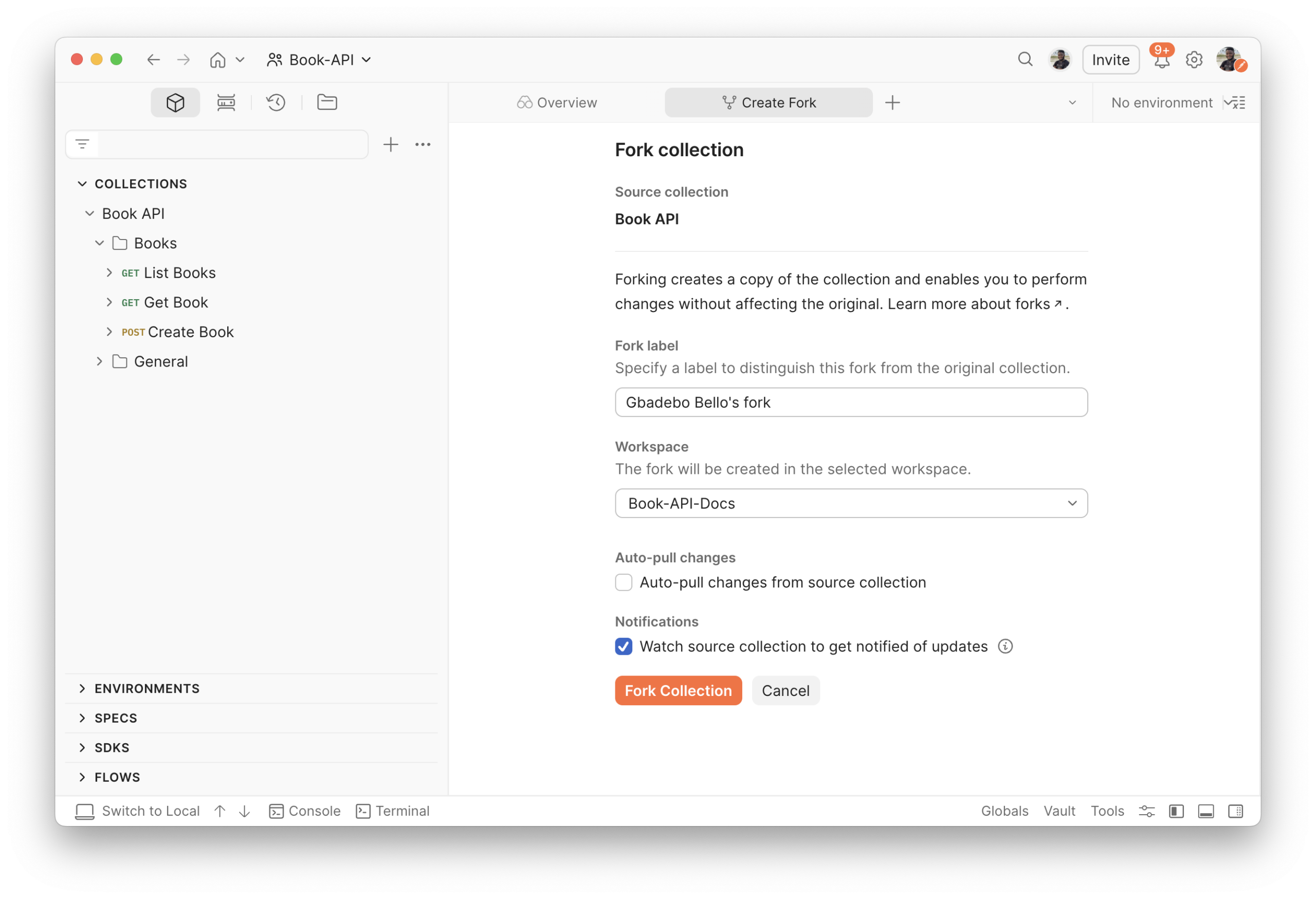
This creates an isolated copy in your own workspace. Changes you make here don’t affect the original until you submit a pull request. You should see a fork icon beside the name of the forked collection.
Step 2 – Make Your Changes
Toggle Agent Mode, and click on the name of your collection to add it to the context. Input the prompt “Write a comprehensive documentation for every request in this collection.”
Agent Mode springs into action and generates the documentation for this collection for you.
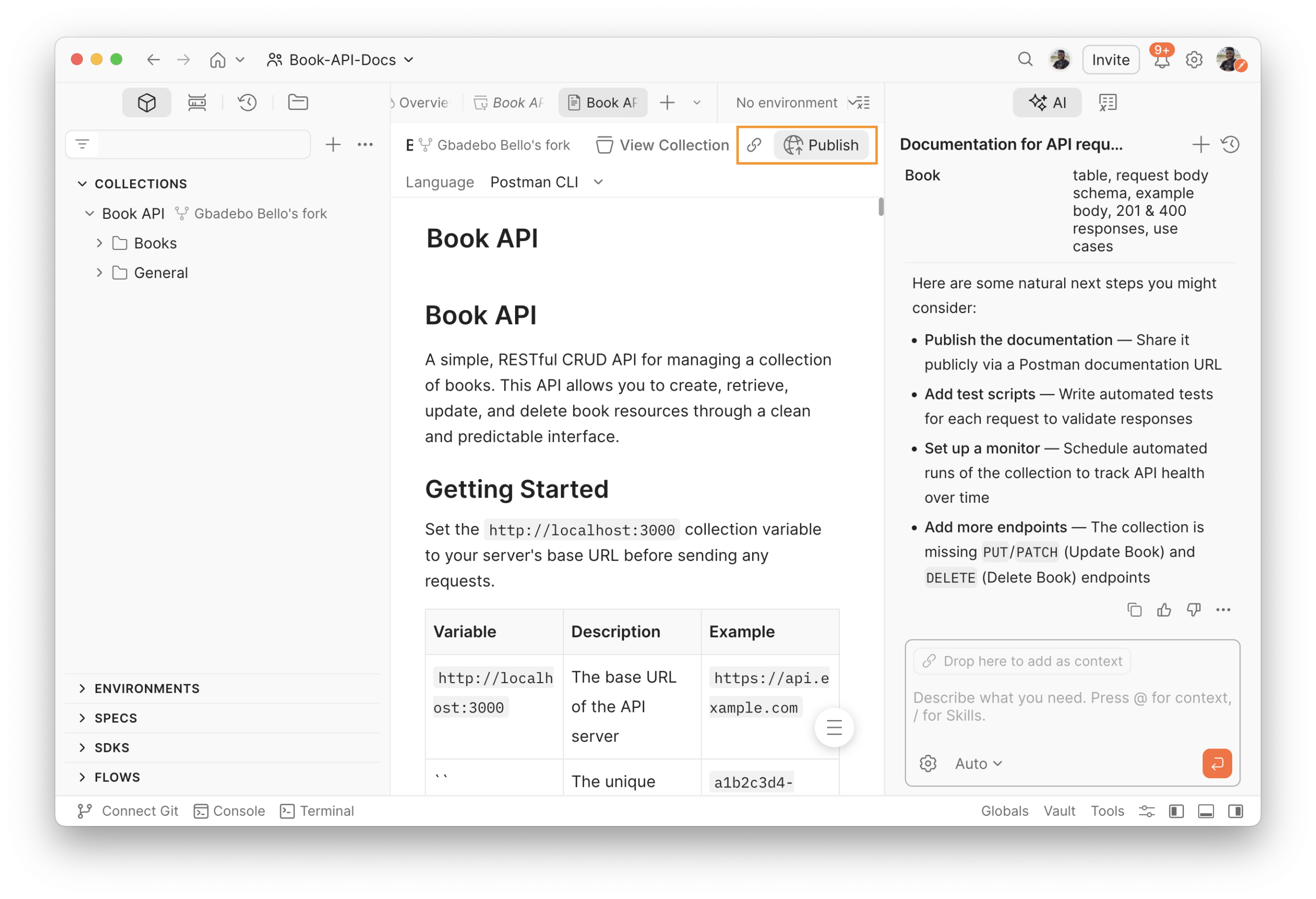
Click on the name of the Collection to see the generated documentation. You can click on the “Publish” button to publish this documentation externally and make it available to anyone on the internet. See the published documentation from this example here.
Step 3 – Create a Pull Request
When your changes are ready, click the ellipsis icon next to your forked collection name and select Create pull request. Add a title, description, and select reviewers. The reviewer receives a notification automatically.
You can view the full diff of your changes under the Changes tab before submitting. The reviewer can leave comments on this diff to provide feedback.
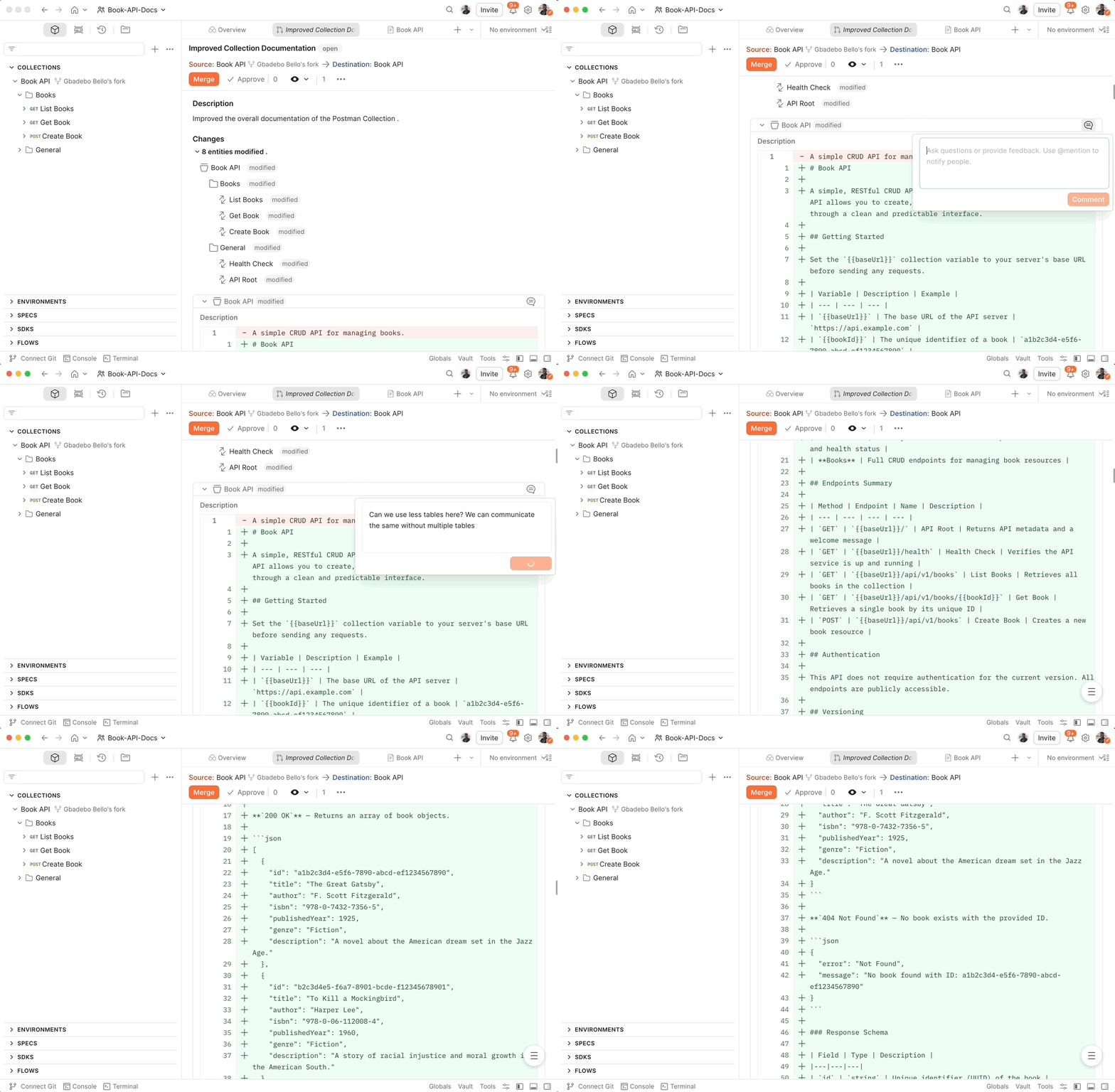
PR Review flow in a collection
Step 4 – Review and Merge
The reviewer can:
-
Test the changes directly in the Postman workbench
-
Leave comments in the changelog requesting revisions as shown above
-
Approve and merge the pull request into the shared workspace
Once merged, the shared workspace reflects the updated collection. Any team member watching the collection gets notified of the change.
Conclusion
By publishing your collections to Postman Cloud and encouraging contributors to work in forks, you give technical writers, QA, frontend engineers, and partners a safe, Git‑like way to shape your API workflows without ever touching your service repo or internal git processes. A simple pull request on a collection becomes the bridge between their changes and your source of truth.
This model keeps your production artifacts protected while still making it easy for anyone to propose new documentation, tests, or workflow improvements. Every change is reviewed, versioned, and auditable, so your collections evolve alongside your codebase rather than drifting away from it.
With this workflow in place, your organization can ship better‑documented, better‑tested APIs, while empowering a broader set of people to contribute where they have the most context and expertise.
Resources





What do you think about this topic? Tell us in a comment below.